
“Not used for 64 days.”
— what Build Broom said about 3.2 GB of Derived Data, before it suggested removing it
Other cleaners tell you how much they found. Build Broom tells you what it made of each item, in a sentence you can check — then puts it in the Trash, not past it.
macOS 26 · 15 languages · no network access · MIT licensed
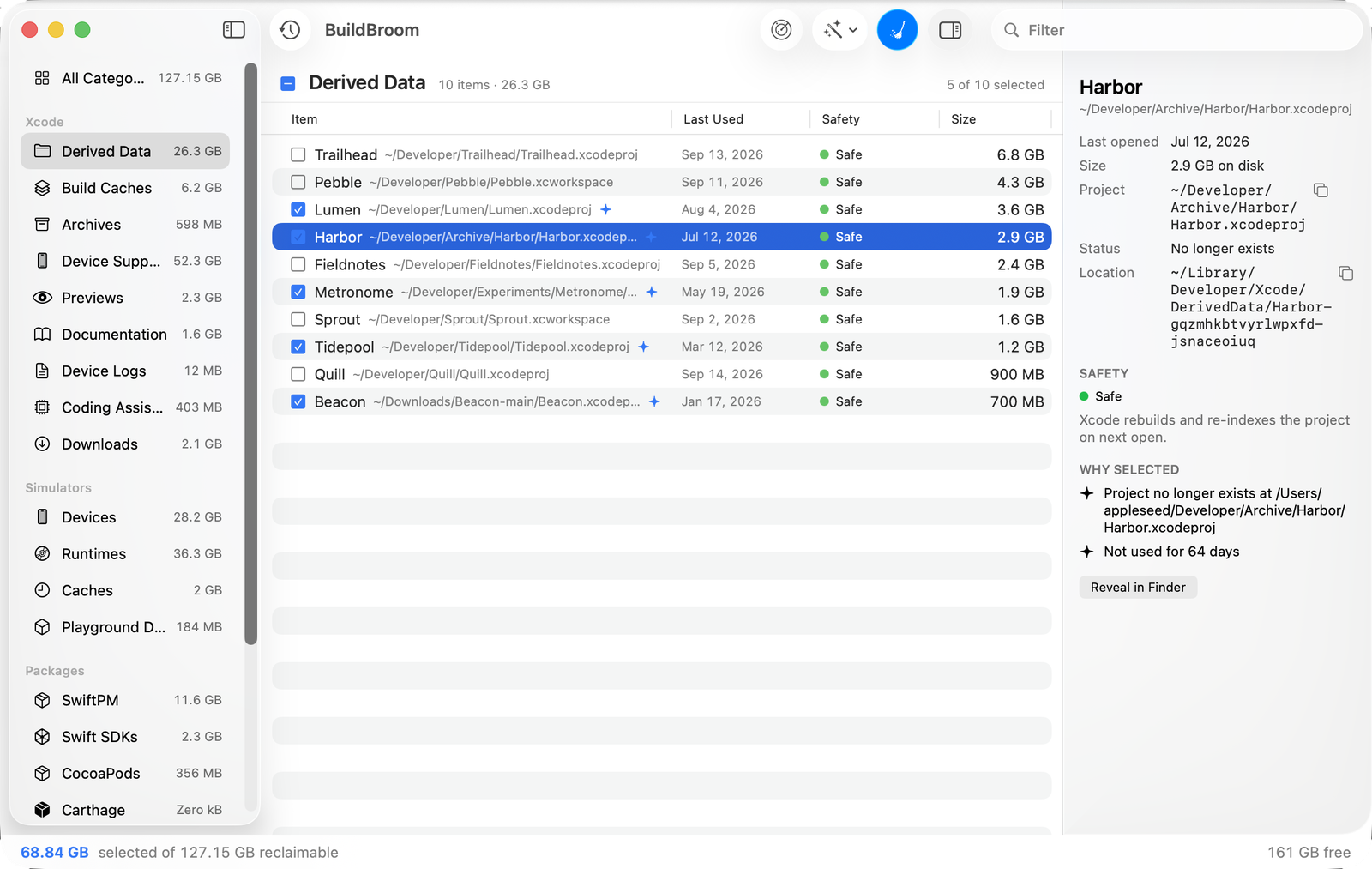
Nothing is suggested without a reason
Every item the rules engine picks carries the sentence that picked it. These are the app’s own words, not a summary of them.
Project no longer exists at ~/Projects/Harbor
Not used for 64 days
Its runtime is no longer installed
Older than the newest 2
Never booted
Never distributed
No simulator uses this runtime
Nine more, one for every rule the engine can apply.
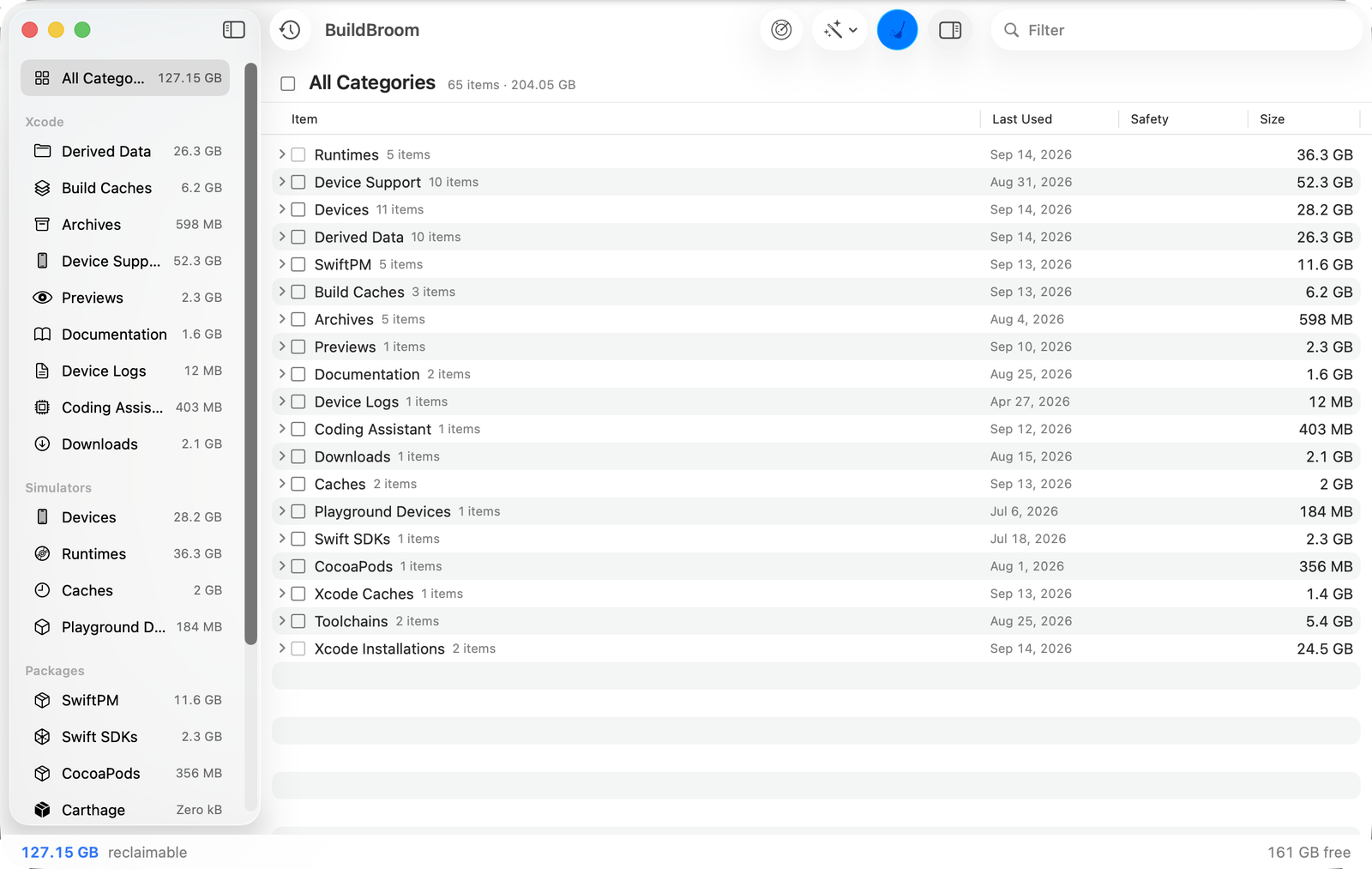
Four things an item can be
The colour is not decoration. It is the judgement, and it decides what a one-click clean is allowed to take.
Safe
Regenerated automatically. Nothing you would notice.
Cautious
Costs a rebuild or a download to get back.
Risky
Cannot be recreated. Never selected for you.
Info
Shown for information. Not removable from here.
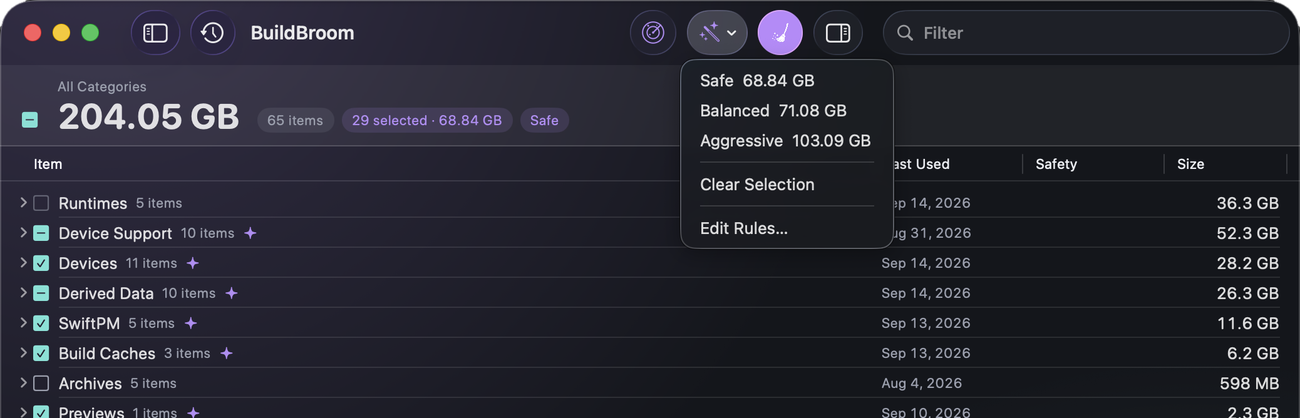
Safe, Balanced, Aggressive — or your own
Three built-in profiles, and copies of them you can edit rule by rule: which categories they touch, how old is old enough, how many of a thing to keep.
No profile ever selects a risky item, Aggressive included. That is enforced in the rules engine, not promised here.
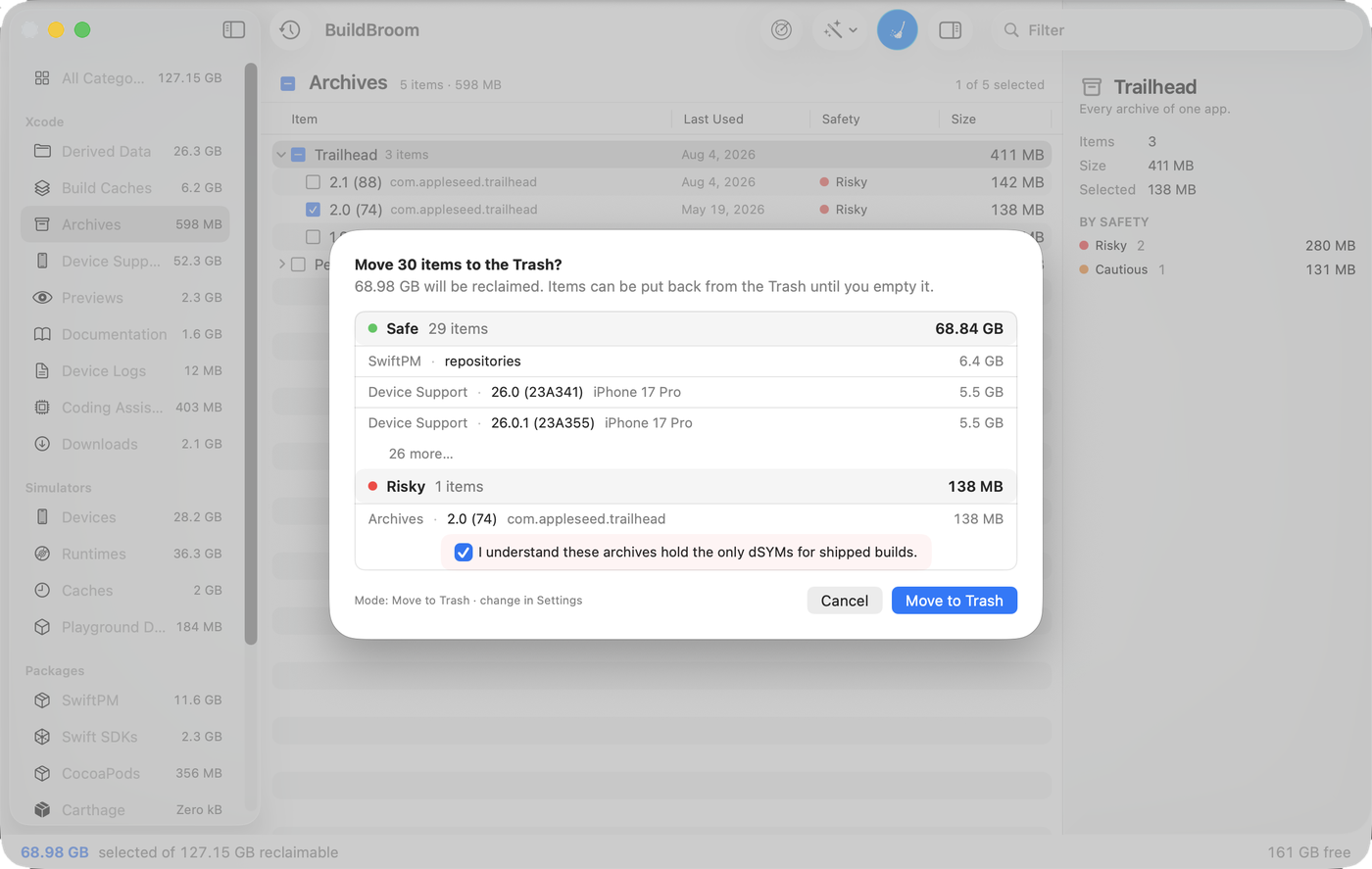
Nothing leaves without you
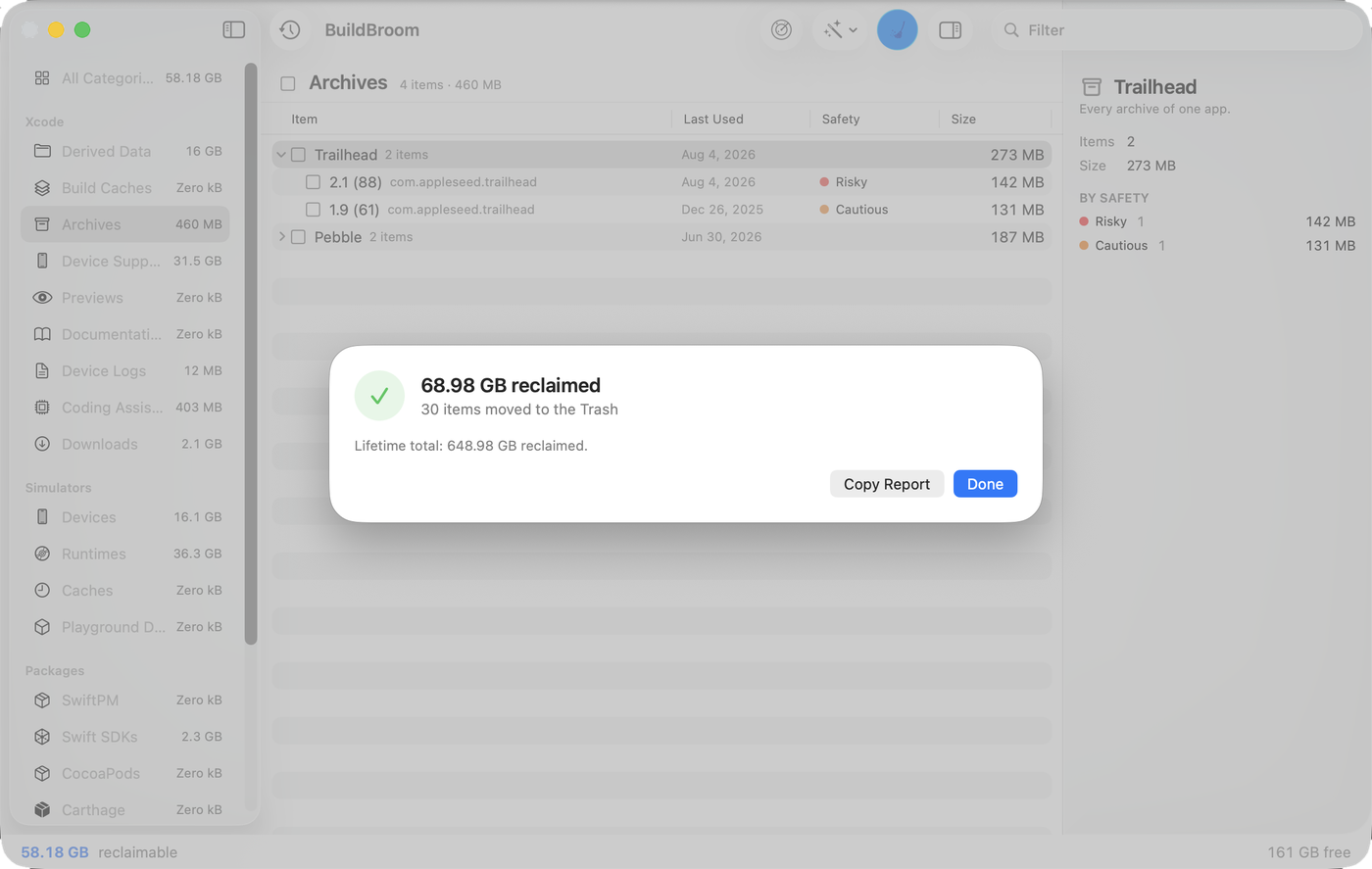
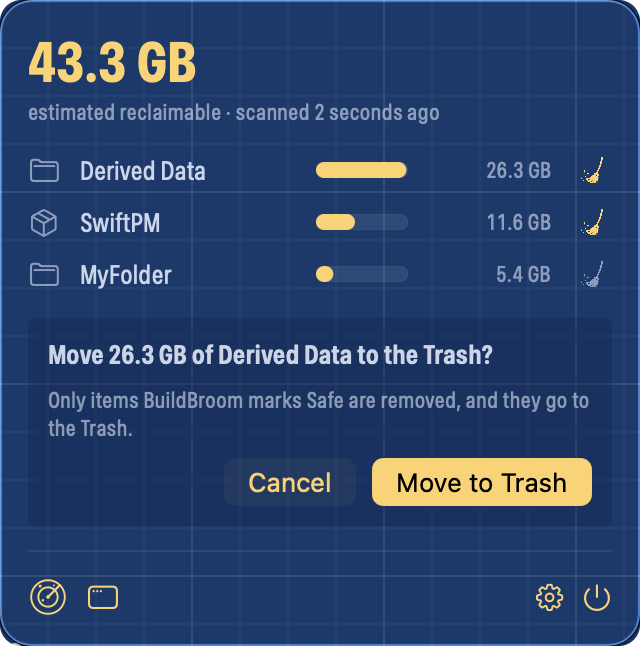
The confirmation groups what it will take by safety and shows the sizes. Irreplaceable items ask for themselves, one at a time. Everything goes to the Trash — unless you change that yourself, in General.
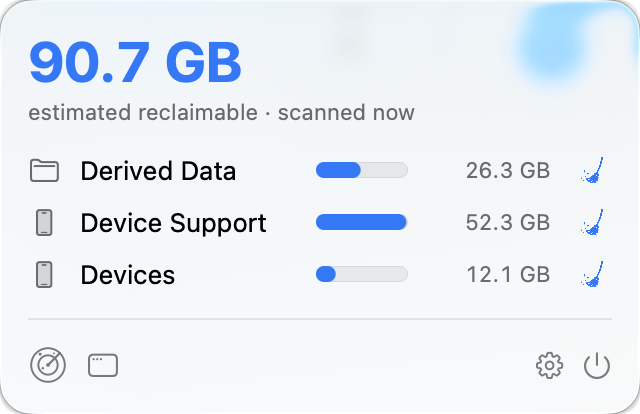
From the menu bar, once an hour
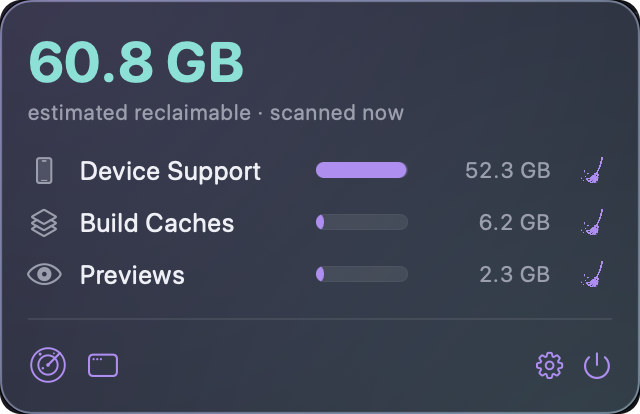
A light scan of the categories and folders you choose, the size beside the icon, and a quick clean that takes only safe items — always to the Trash, whatever your delete setting says.
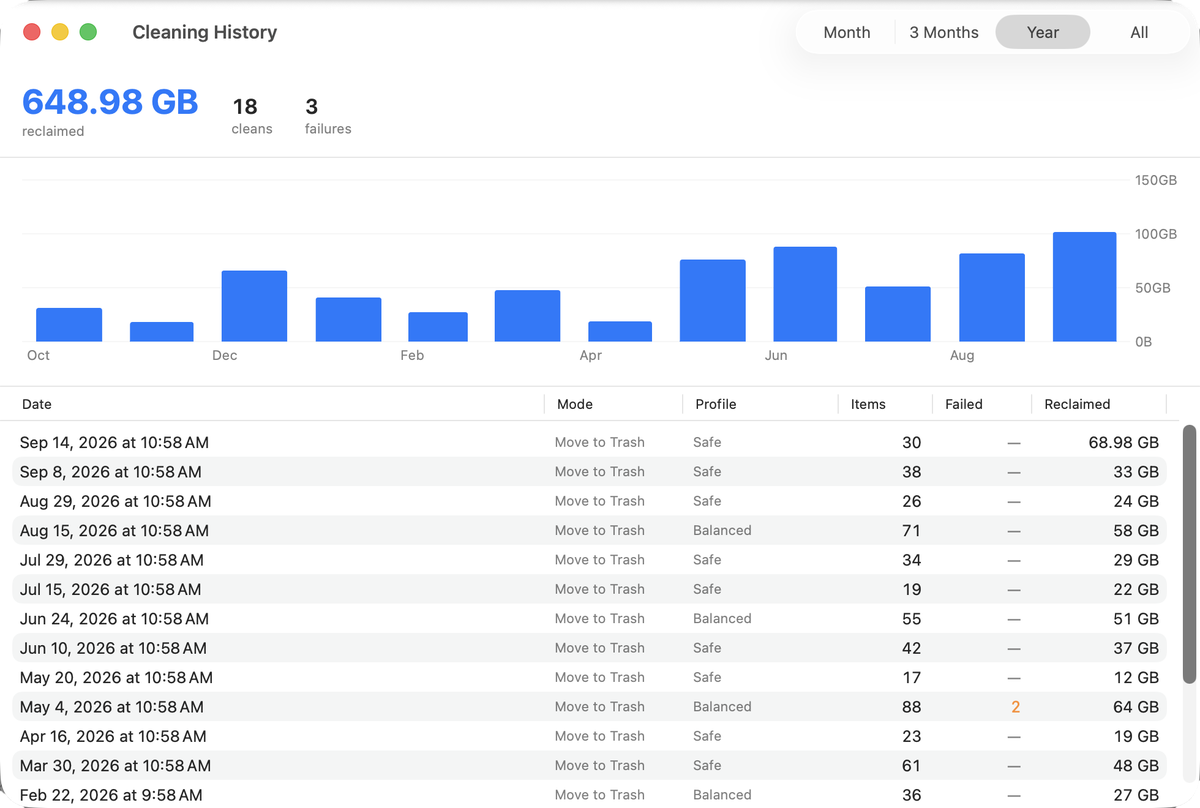
Every clean, counted
What a year of cleans reclaimed, how many runs there were, how many failed, and the profile each one used.
And nine panes of settings behind it
Rules, Locations, Menu Bar, Appearance, General, Notifications, My Folders, Advanced and Tip Jar.
Rules is where the sentences above come from: a profile per list, a rule per category, day and count thresholds you set yourself, and a list of paths Build Broom is never allowed to touch. Locations is where you point it at Derived Data somewhere else, or at build folders on another disk.
Four ways to look at it
Each theme’s own description, as the app writes it.
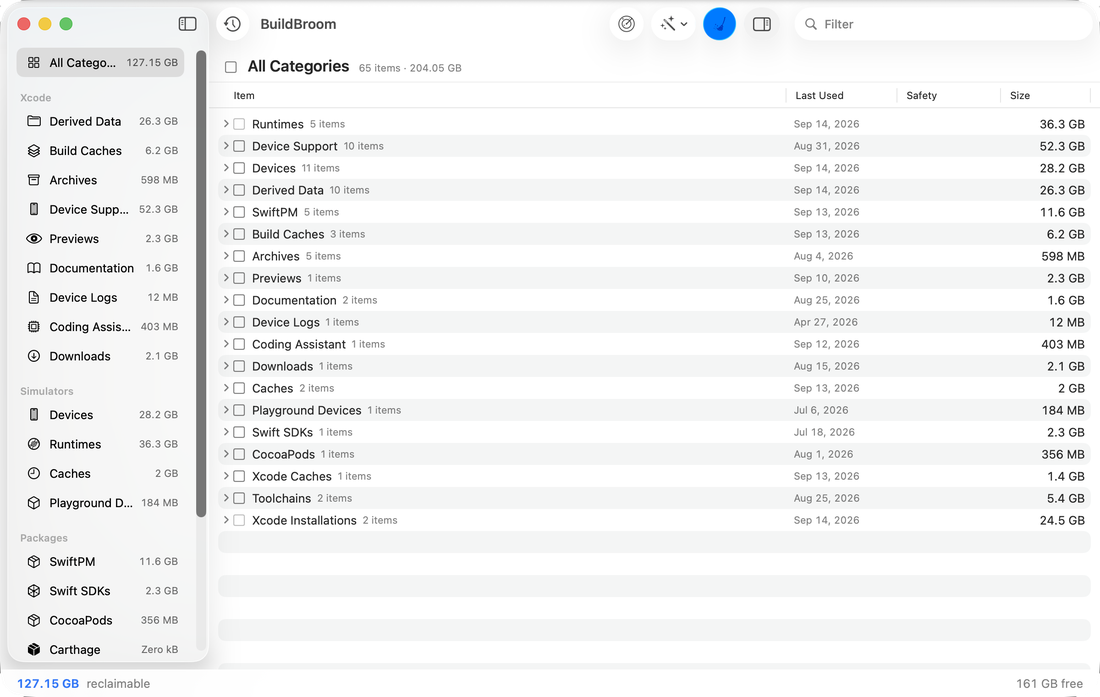
Native
The macOS look, with the system’s own materials and accent colour.
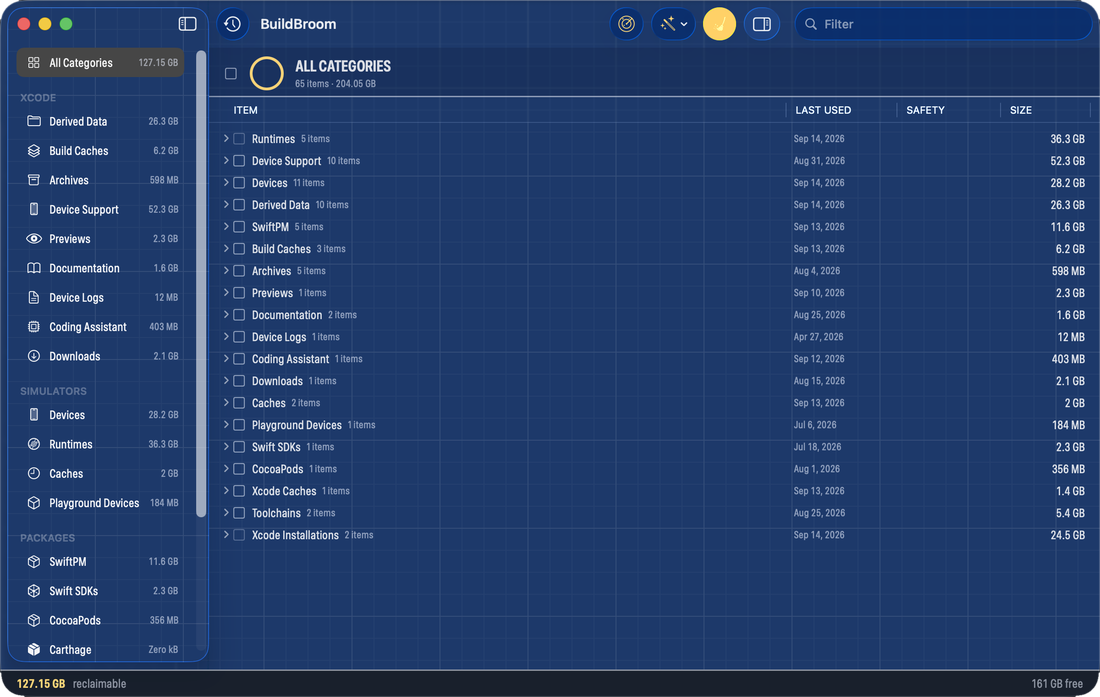
Blueprint
An engineering drawing: blueprint blue under a drafted grid, chalk-yellow selection, stencil labels.
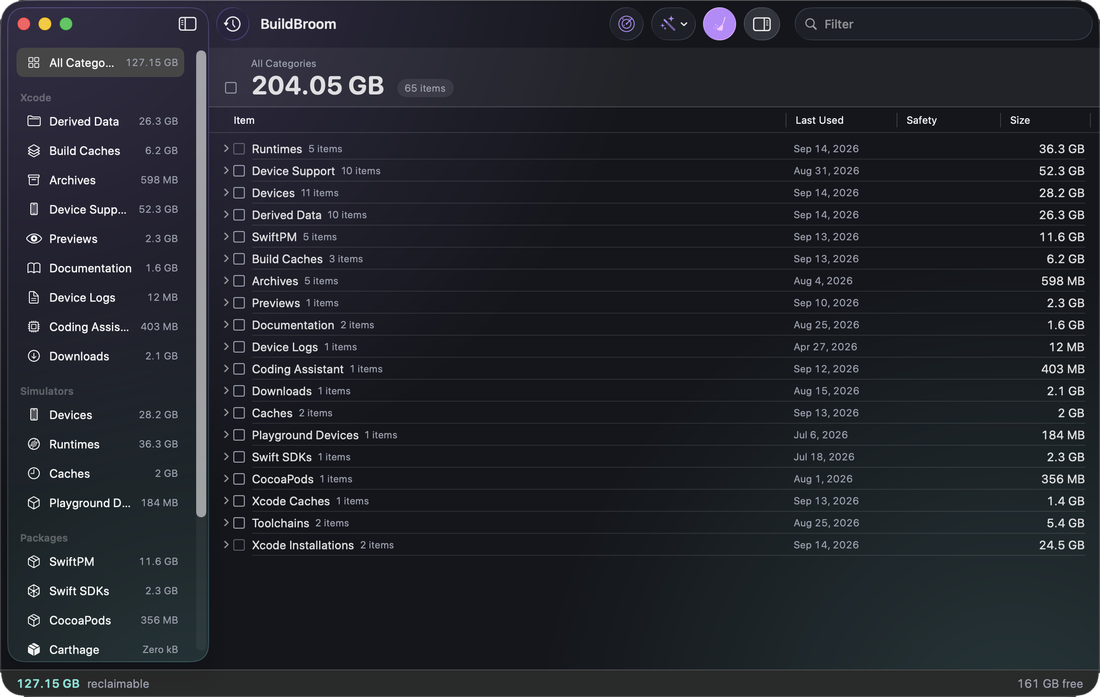
Aurora
Charcoal glass over one soft aurora, rounded type, violet and teal accents.
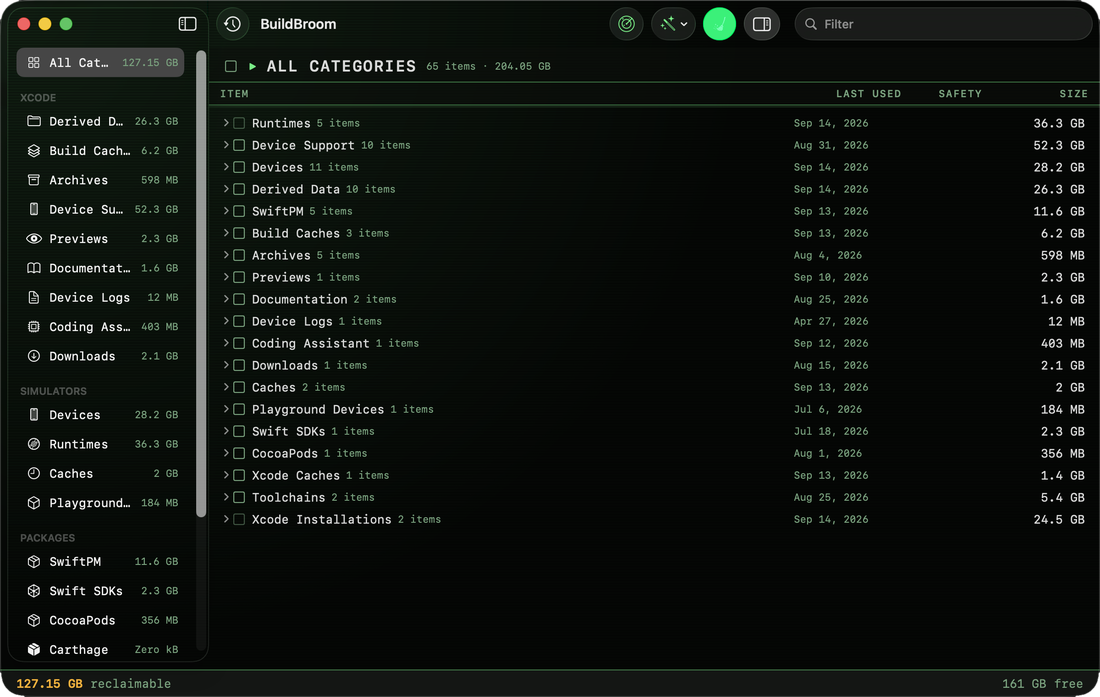
Terminal
Phosphor green on black under a CRT’s banding, monospaced throughout.
There’s a command line too
The same rules engine, unsandboxed, with JSON on a frozen schema and documented exit codes — for a cron job, a launch agent, or CI.
It is built from the repository. It is not part of the App Store download.
$ bbclean clean --category derived-data --dry-run
It doesn’t phone home
No data collection, no network access, no analytics, no crash reporting. Three required-reason APIs are declared, and the privacy page lists them. A tip, if you leave one, is handled by the App Store; Build Broom never sees your payment details.
The source is MIT licensed.
Get Build Broom
Free, with optional tips
Mac App StoreRequires macOS 26 · version 1.0.0